JT Studio
The studio app I couldn't buy, so I built it.
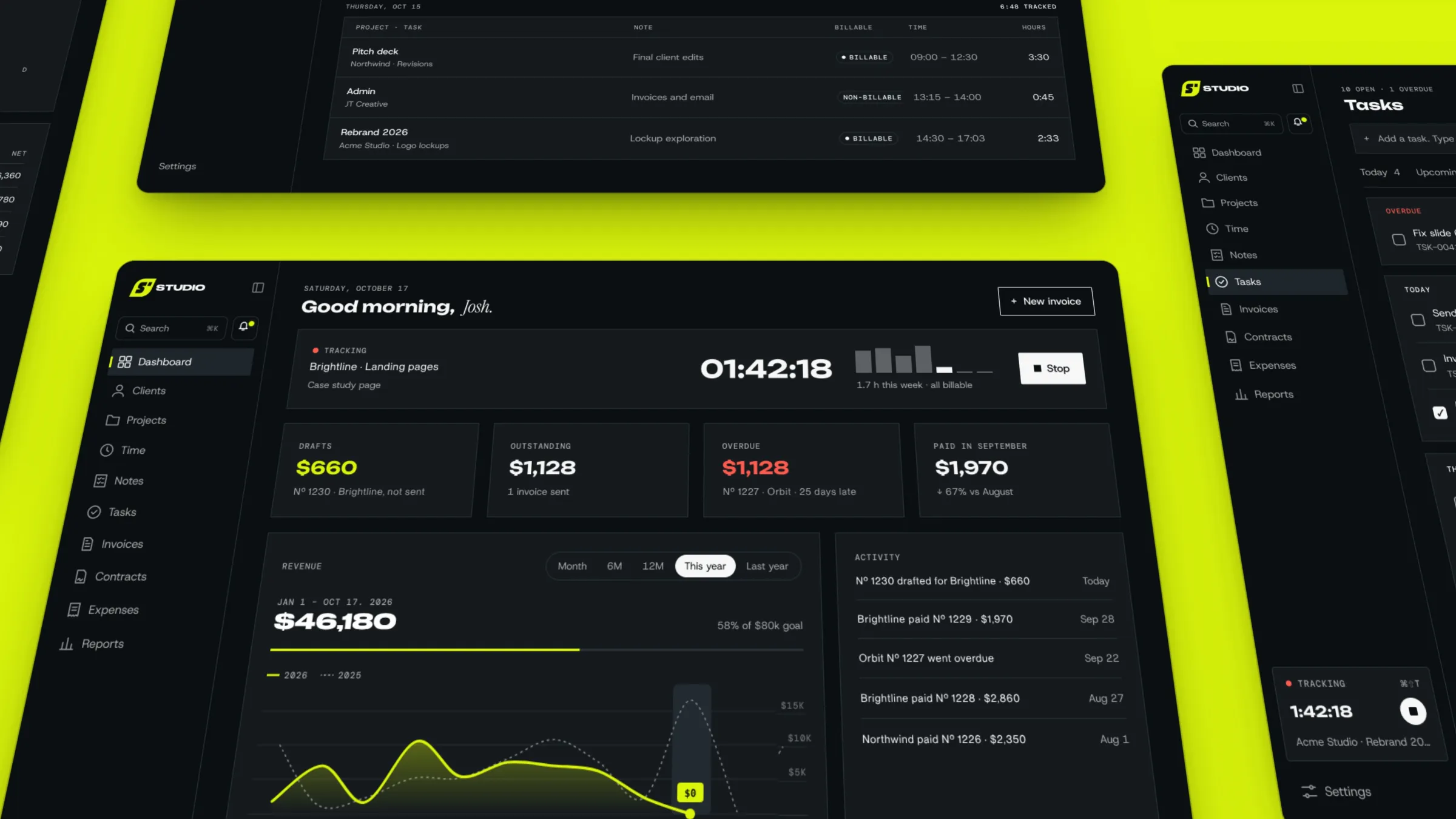
Invoicing that runs the studio, not just the bills. Invoicing, CRM, proposals, client onboarding, tasks and time tracking in one app, synced to every client's full history. Every client gets their own to-do list, and quick widgets let me start a project timer, add a task or jot down a to-do from my iPhone home screen or my Mac desktop, all linking straight back into the app. I'm still adding to it, and a client portal is next.
I designed JT Studio to carry the JT Creative brand all the way through. It feels energetic, like it's always working behind the scenes, taking care of the client busywork (onboarding, proposals, follow-ups and invoices) so I can focus on what matters most: the client work.
The logo
The S sits in the same slanted badge as my JT Creative mark, so the app clearly belongs to the studio. It works stacked or on one line.
Stacked

Horizontal

By the numbers
The short version of what it took and where it runs.
40 screens
designed across three rounds
1 app
on my iPhone and my Mac, installed straight from the browser
$0
in App Store fees
100%
of my invoice history carried over, same numbers and dates
The brief
What I needed, what I had to work with, and how I went about it.
Design rounds
Three design passes came before any building.
5 screens
The invoice PDF, the online invoice page, the dashboard, the invoice editor and a Mac menu bar timer. This round proved an invoice could carry the brand.
23 screens
The full app: dashboard, search, notifications, projects, time, invoices, contracts, expenses, reports, settings, notes, tasks and the invoice send flow. Dark first, with Lime for anything you can act on.
12 screens
A light set, from login to notes, to make sure every screen still reads on Paper. That's how clients see their invoices.
Wireframes
Low-fidelity layouts of the main screens, redrawn from the finished app. Grey bars stand in for text; lime marks the moments that mattered.
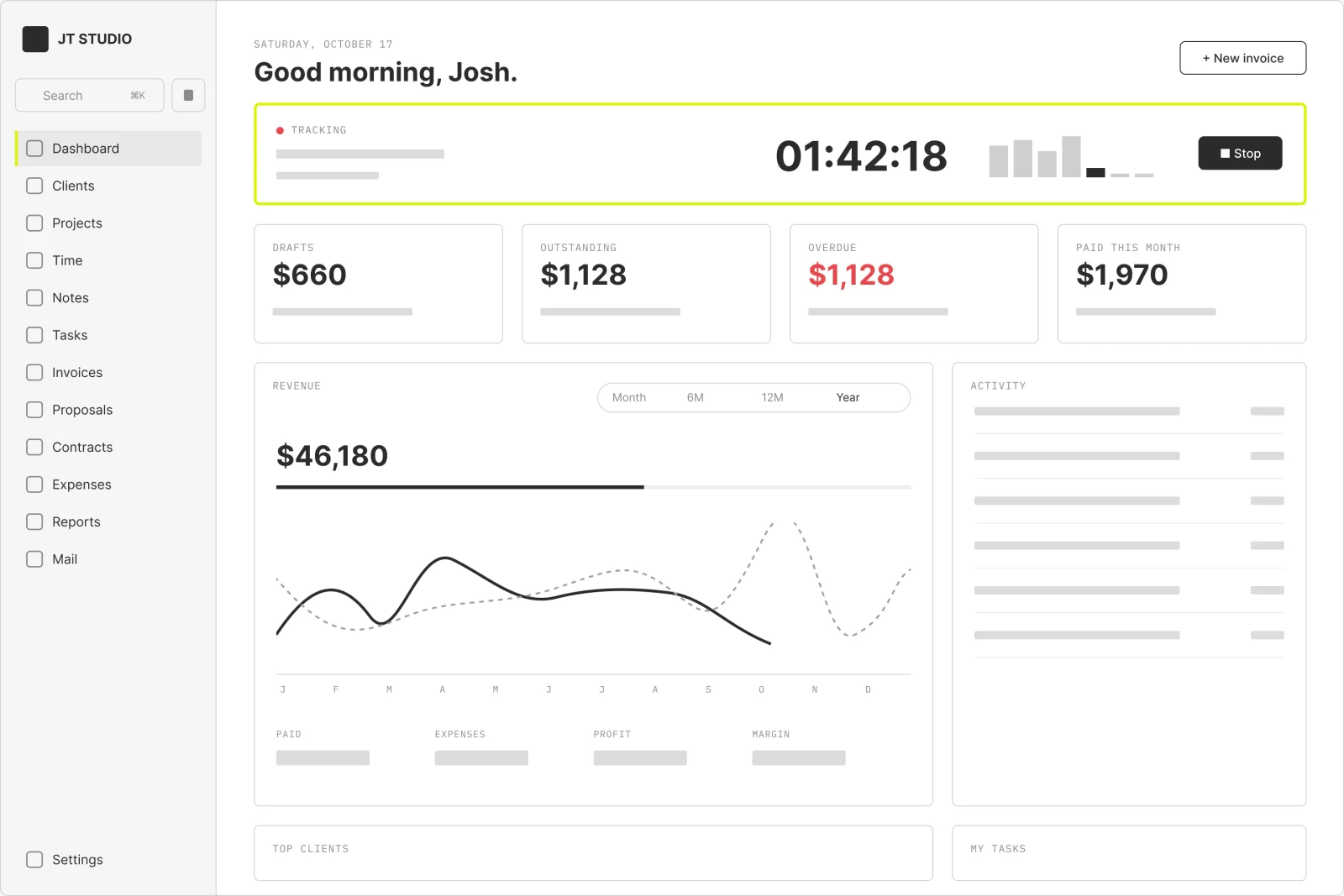
Dashboard. The home screen answers three things at a glance: what's running, what's owed and what's next. The timer sits on top because tracking time is the habit my old invoicing app made slow.
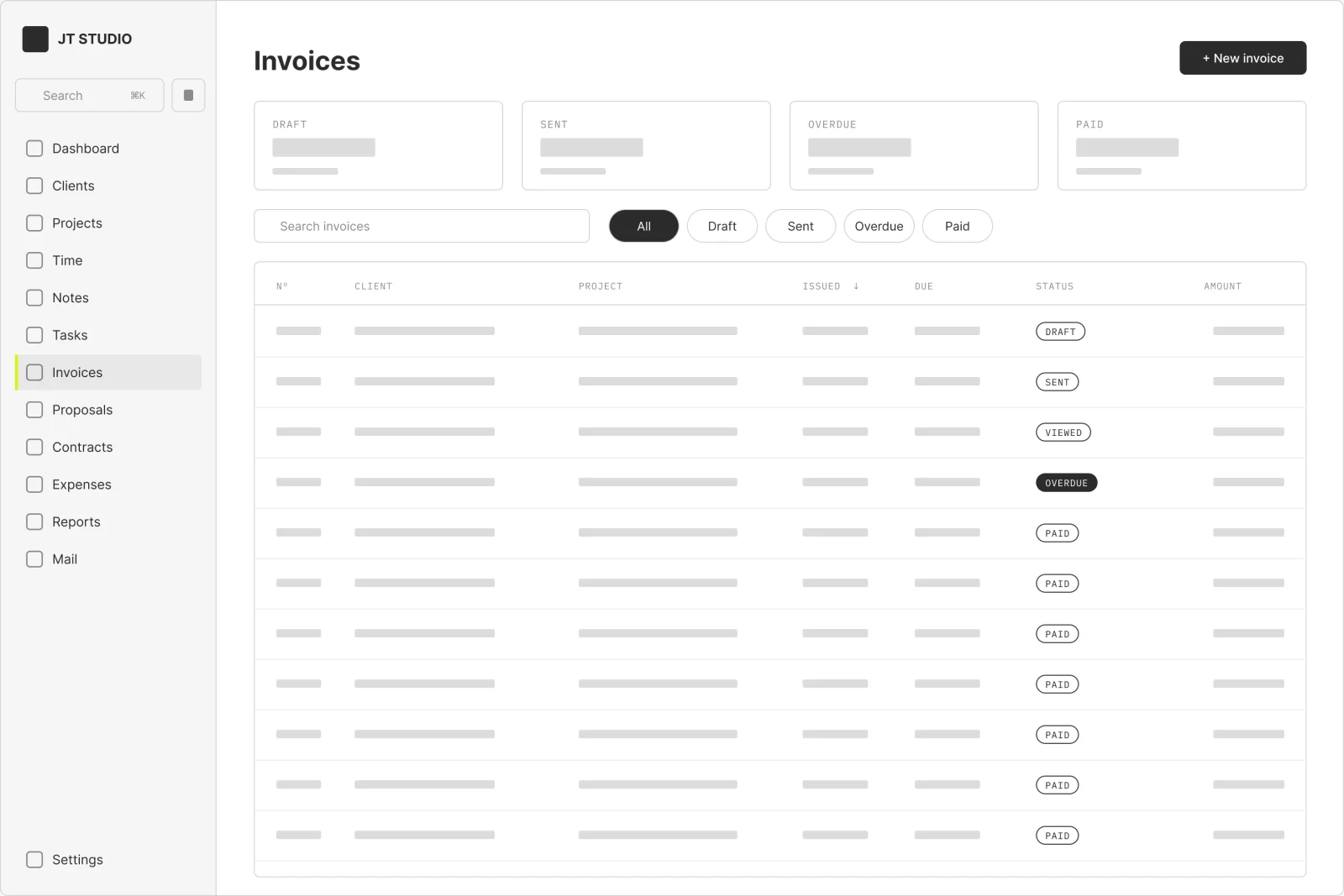
Invoices. Every invoice from my old invoicing app came across with the same numbers, so no client's paper trail broke. Columns sort, the stat cards filter, and each status follows the email from Sent to Paid.
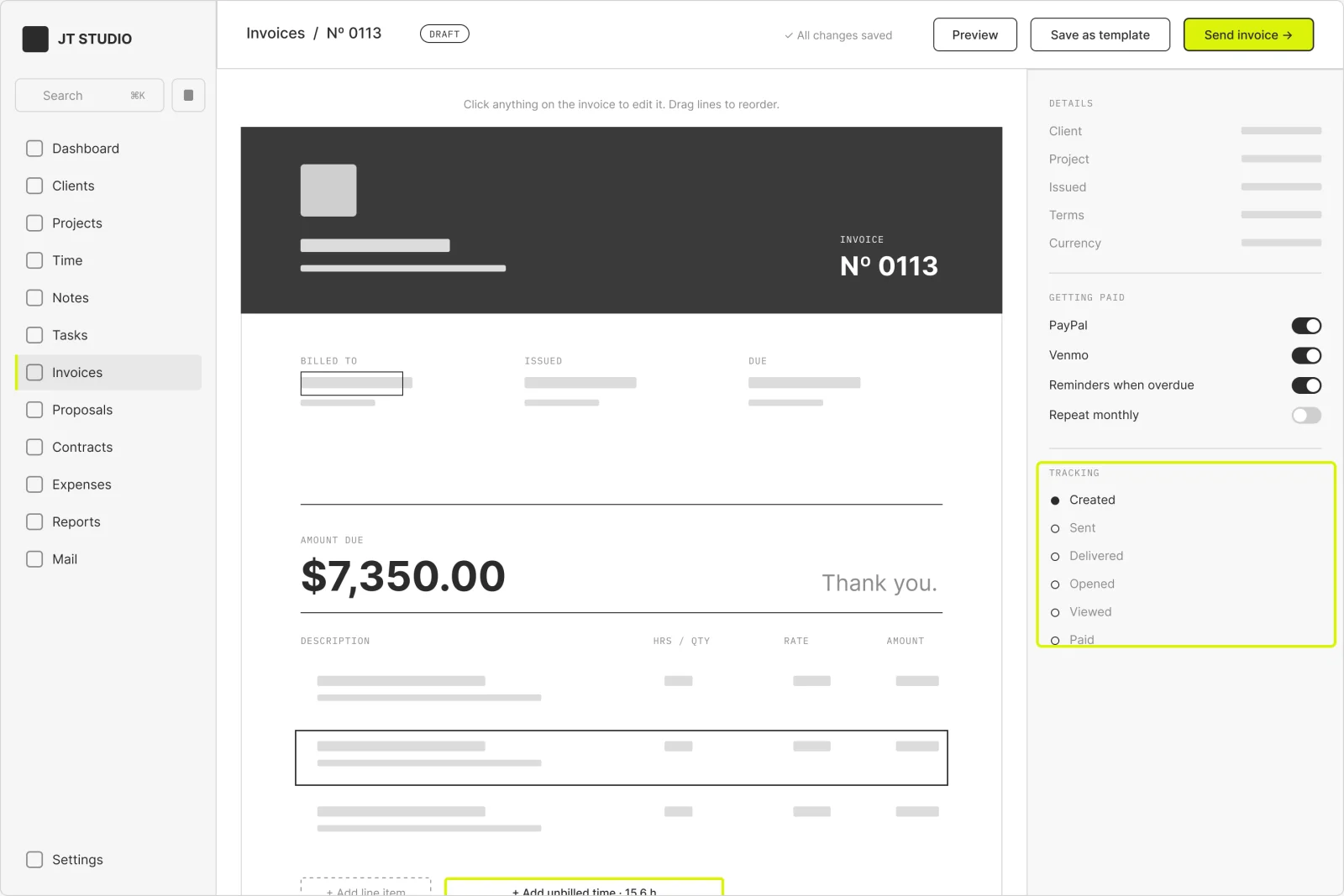
Invoice editor. I edit the invoice exactly as the client will see it. Unbilled time drops in as line items, and the right rail holds the pay options and a delivery tracker.
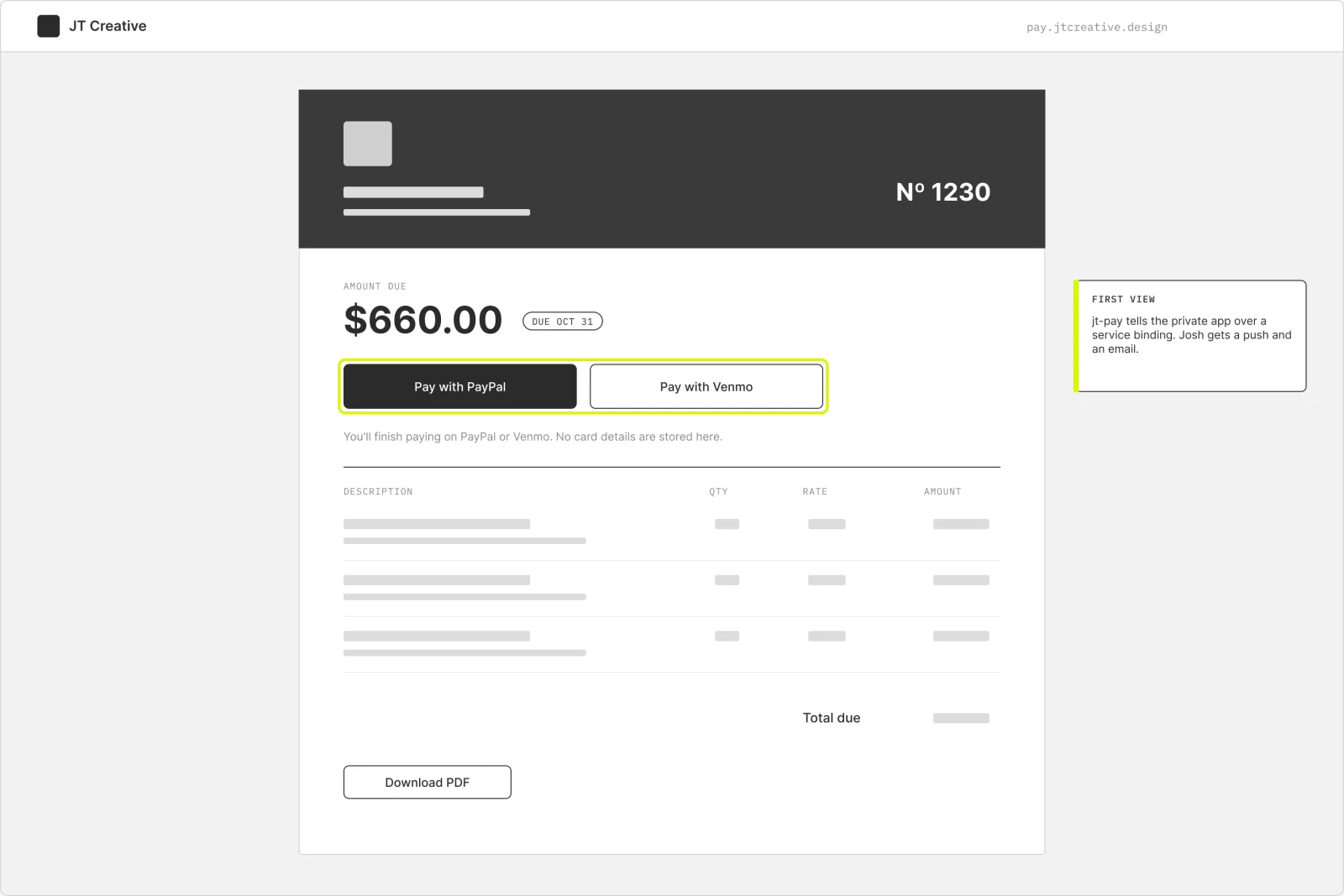
Client invoice page. What the client sees. It lives on its own public site, so the private app never has to be open to the internet. The first view pings me, and the pay buttons hand off to PayPal or Venmo.
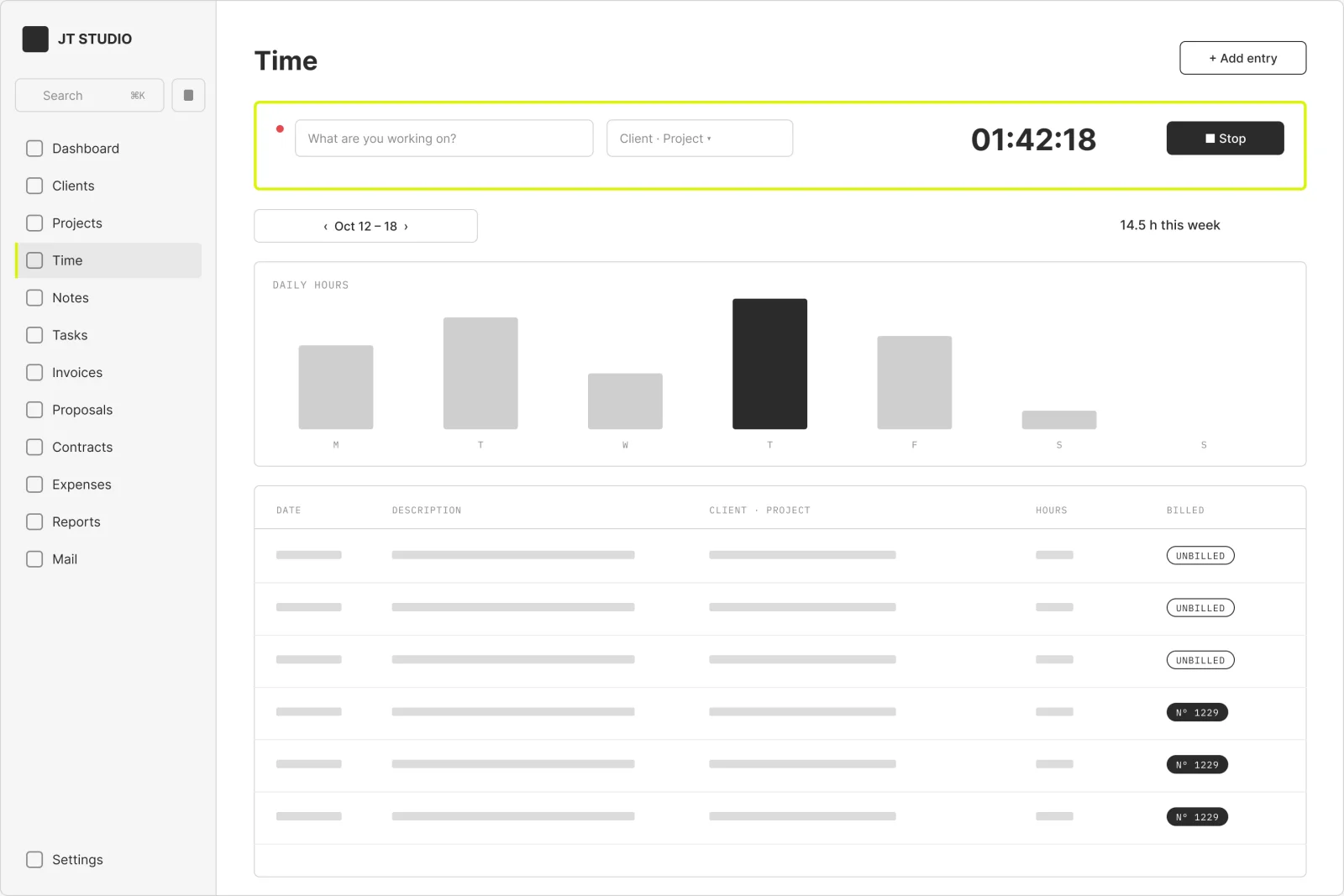
Time. A week grid with the running timer on top. Hours stay unbilled until an invoice pulls them in, which is how the editor knows to offer 15.6 hours for Acme.
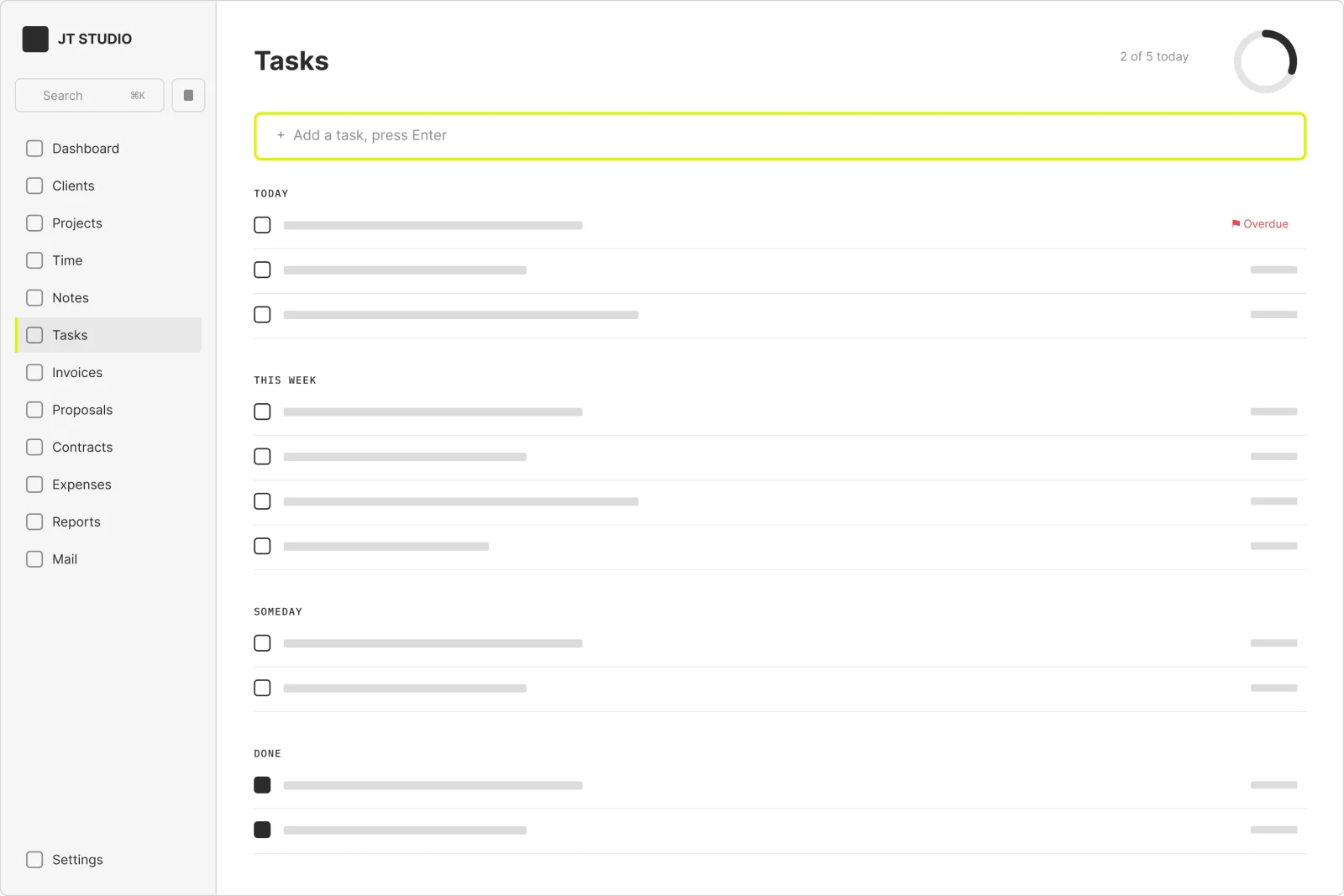
Tasks. Quick add on top, groups below, and a ring that fills as today's list gets done. Follow-ups like chasing an overdue invoice land here too, so money and to-dos share one list.
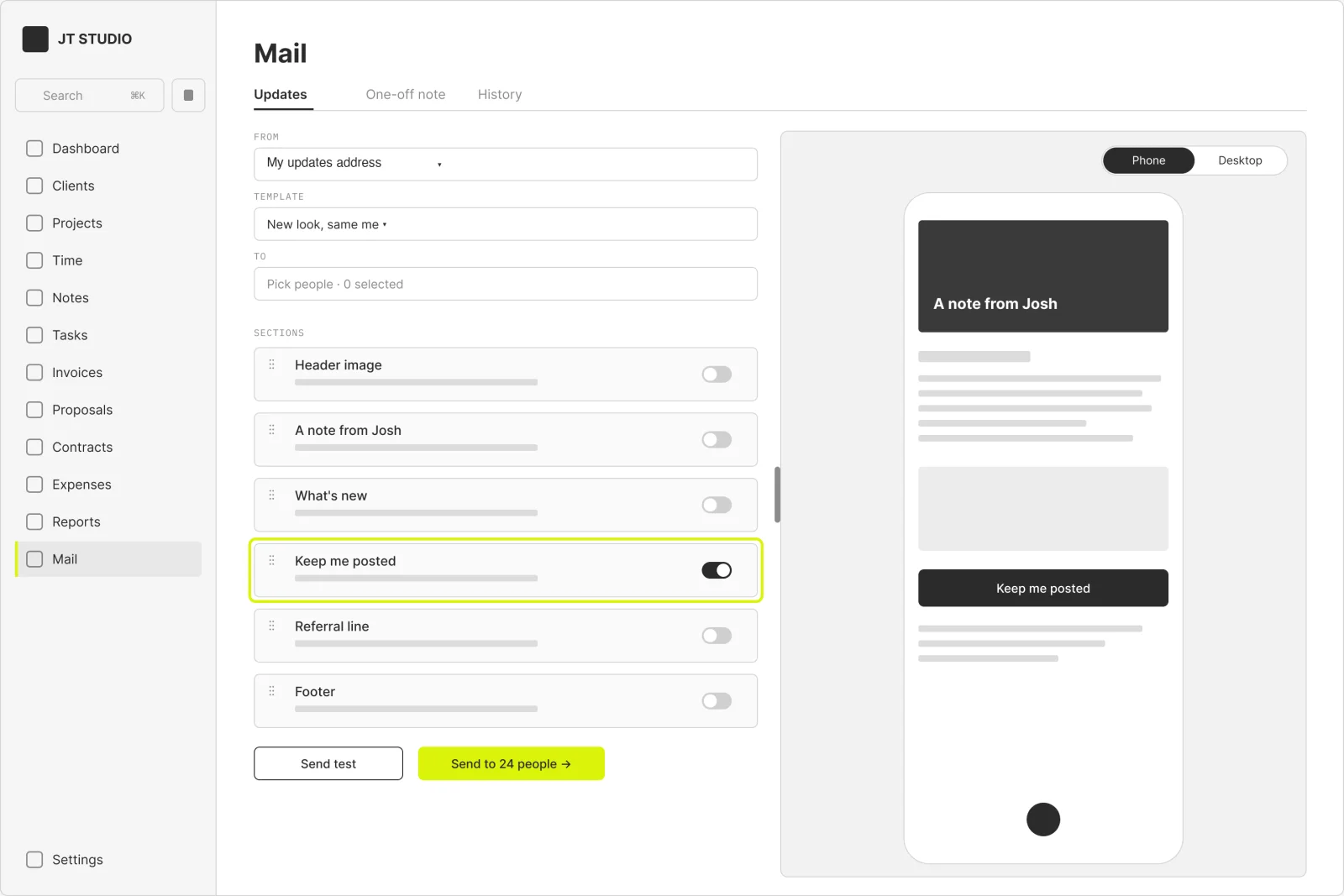
Mail. The newest part. Update emails are built from sections, previewed at phone or desktop width, and sent from a separate address. Link taps and Keep me posted replies come back to me as alerts.
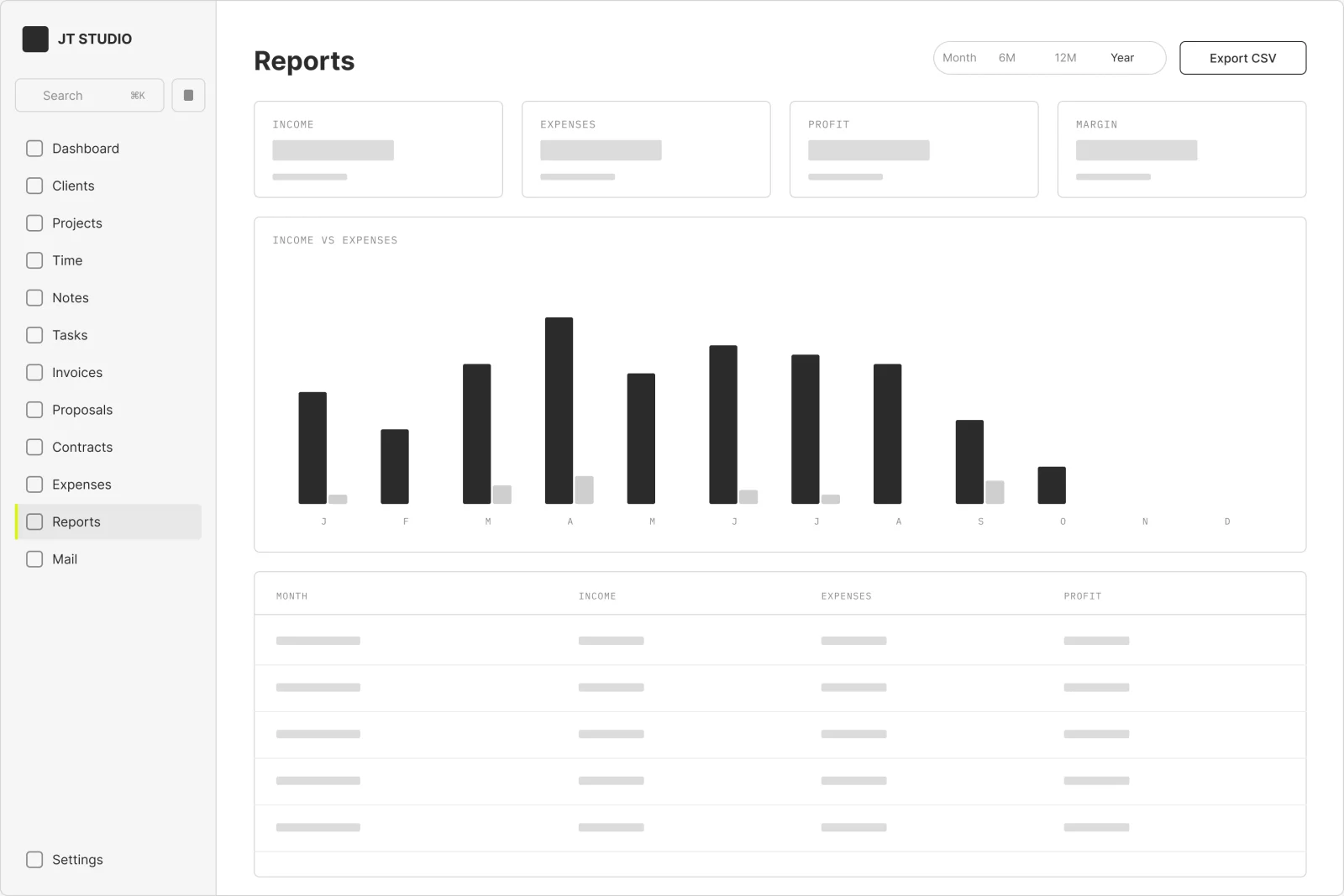
Reports. Income, expenses and profit by month, with a CSV export. Imported payments count on the day they were actually paid, so the totals match the bank.
On the phone
No App Store. JT Studio installs from Safari as a home screen app, and a free widget puts my tasks and the timer on the home screen.
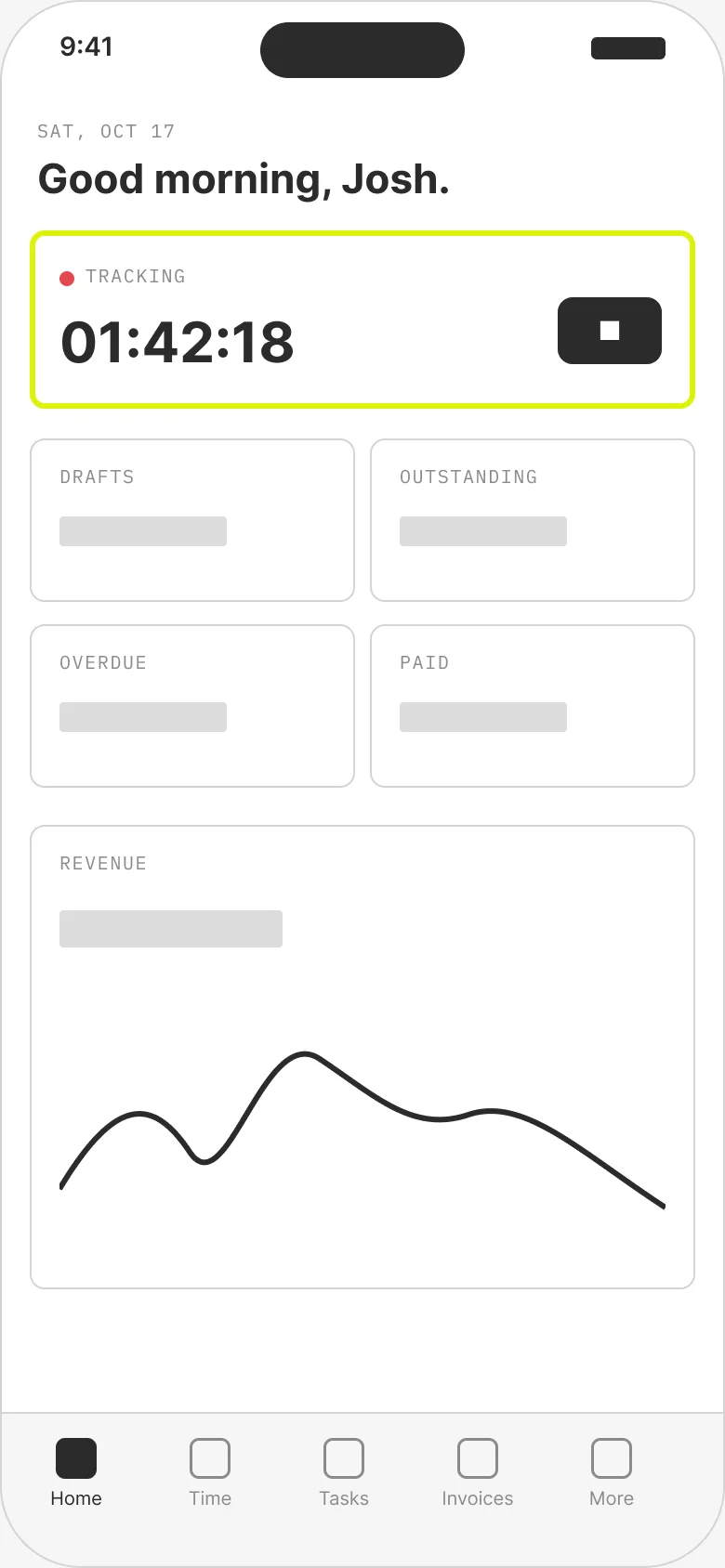
Same dashboard, stacked. A bottom tab bar covers the five screens I use daily; More holds the rest.
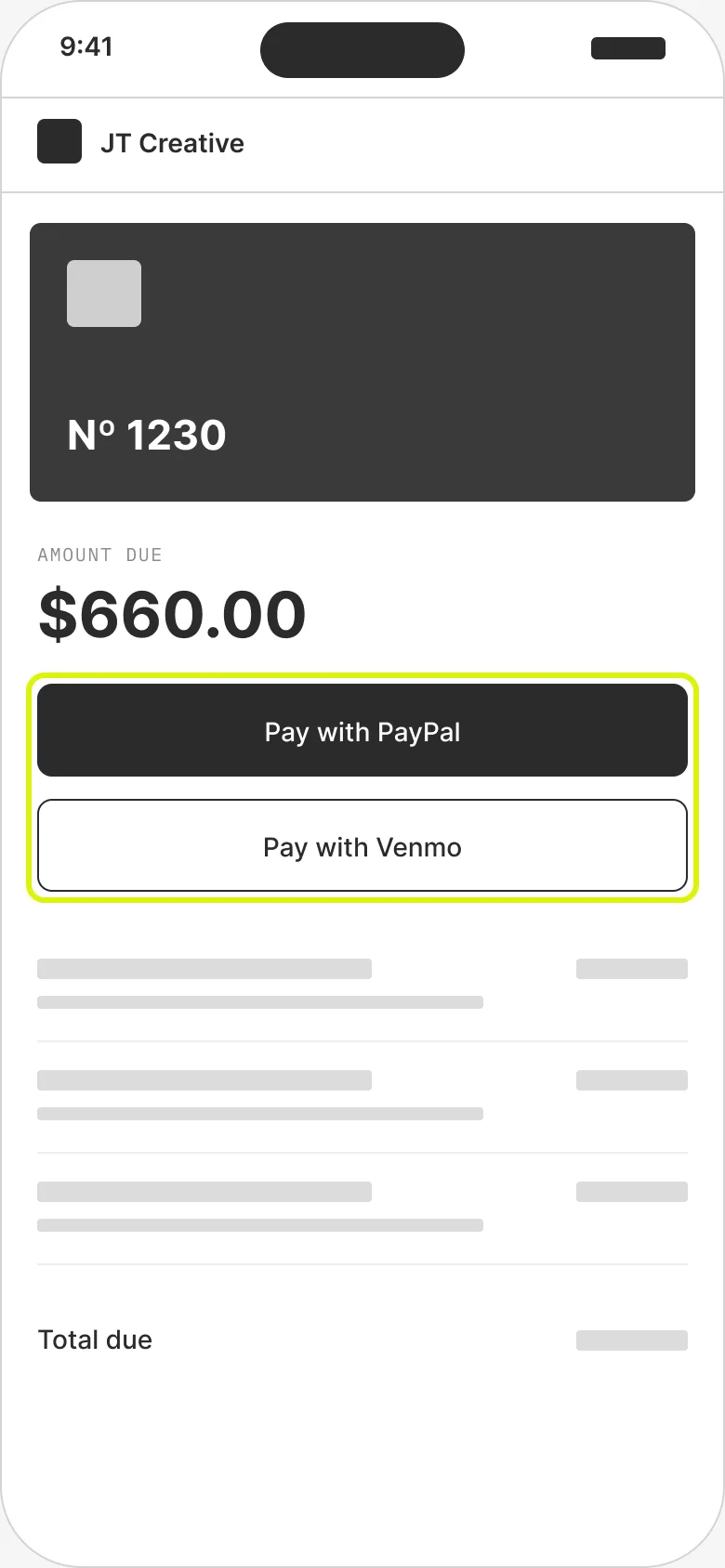
Most clients open the invoice email on their phone, so the pay buttons sit above the fold.
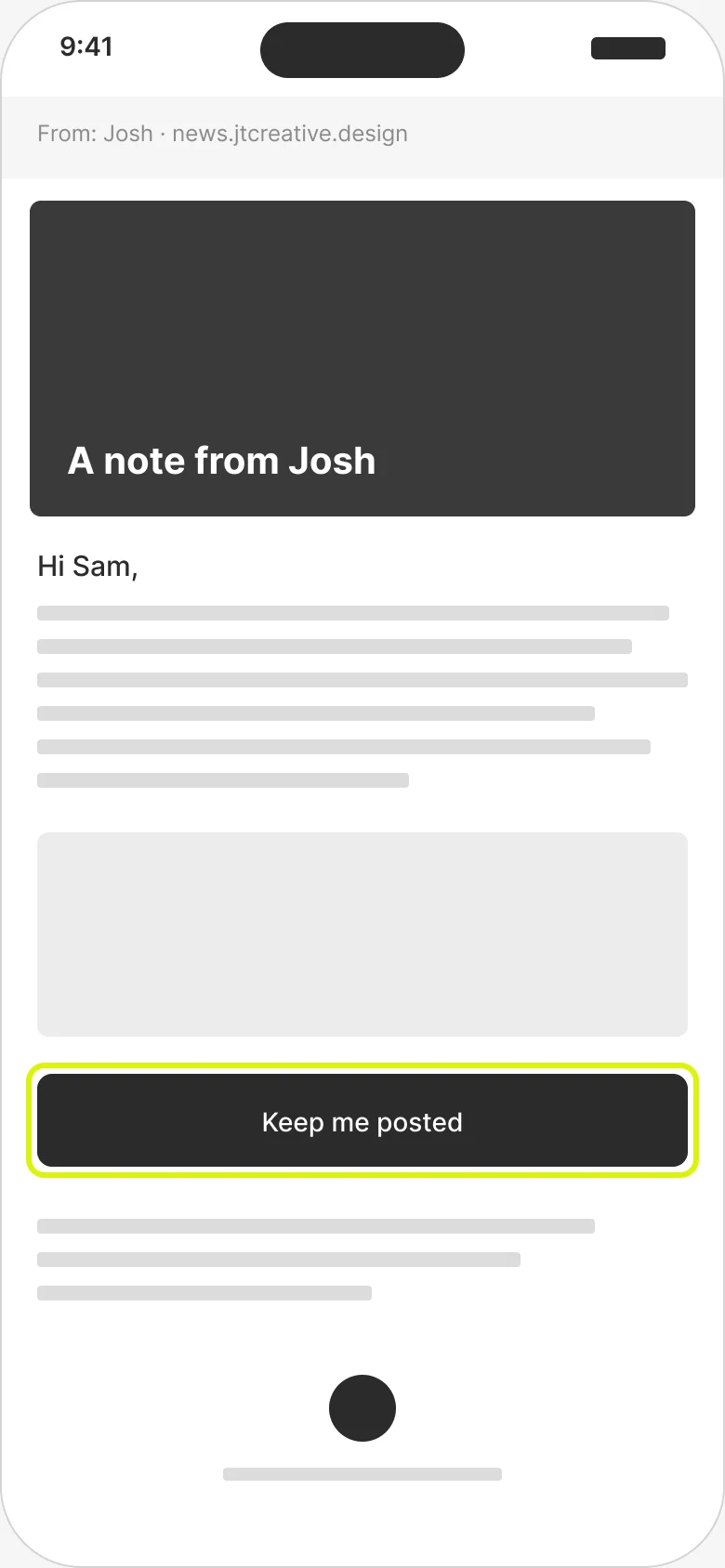
An update email. Keep me posted is a one-tap opt-in, and the first link tap from each person pings me.
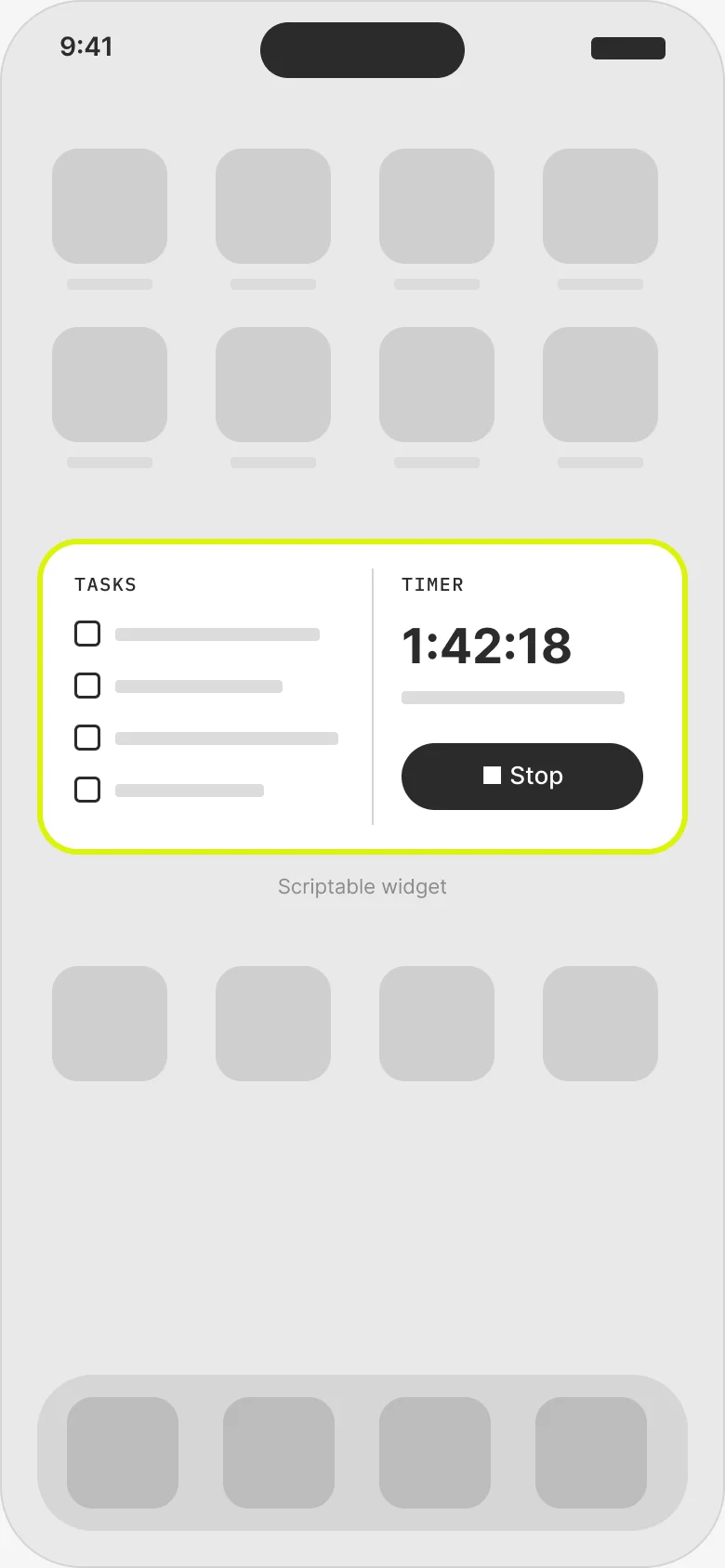
One medium widget: tasks on one side, the timer on the other. Tapping a task opens it in JT Studio.
Invoice, start to finish
The finished app, following one invoice from the first line to the client opening it.
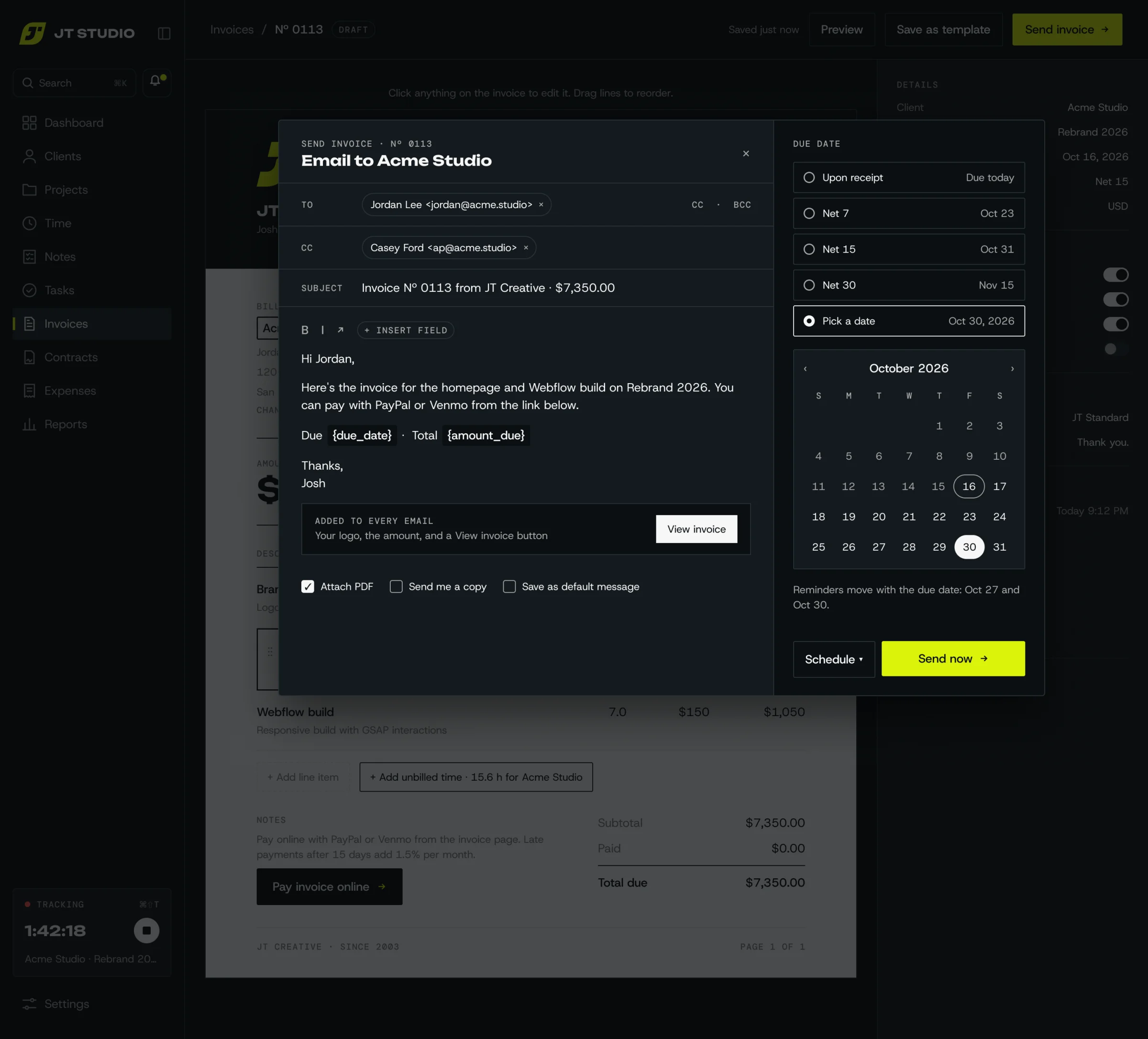
Send. I write a short note, pick the due date, and the reminders move with it. Every email carries my logo, the amount and a View invoice button, and I can send now or schedule it.
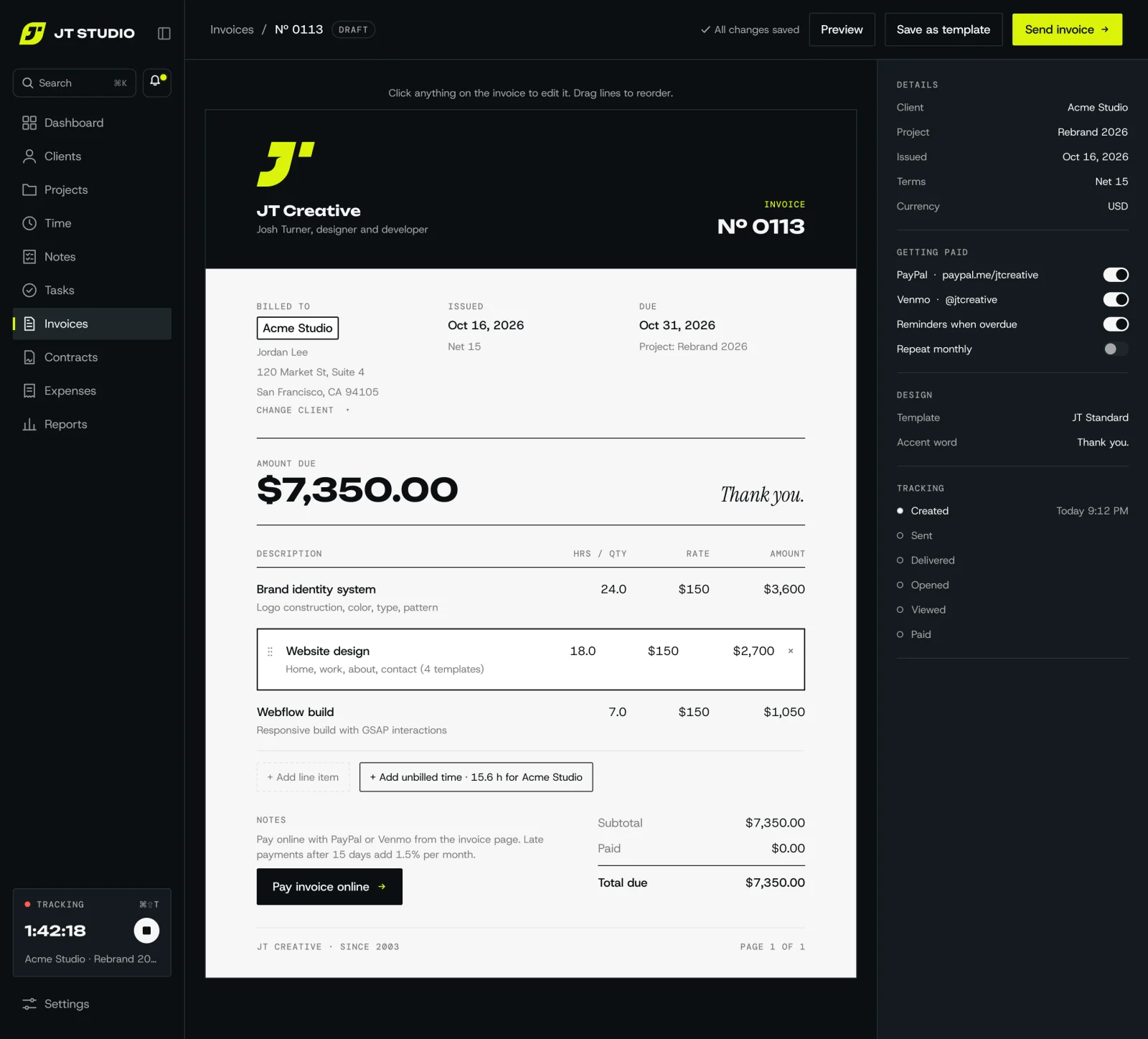
Editor. I click anything on the invoice to change it and drag lines to reorder. Unbilled time for the client is one tap away.
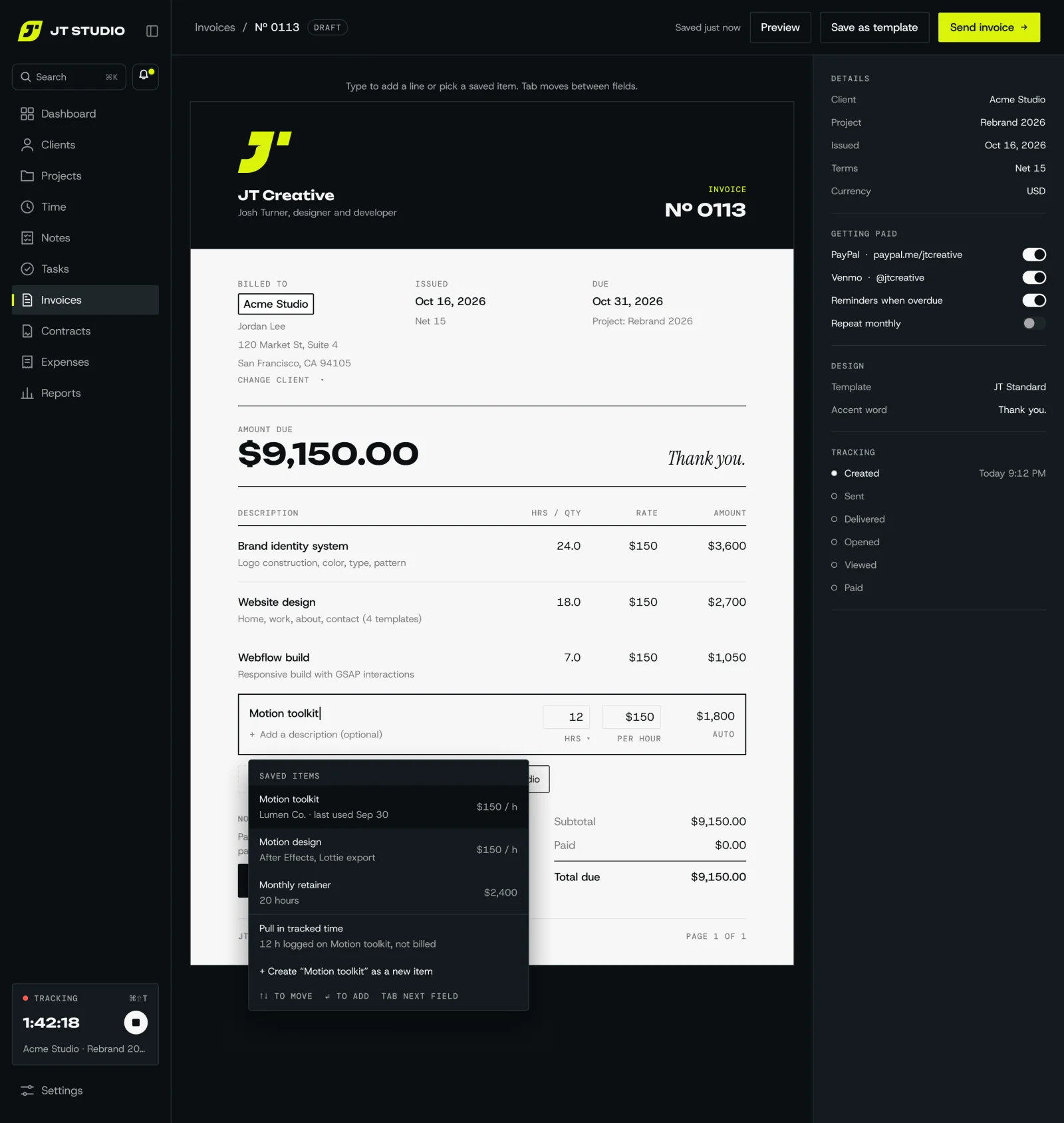
Adding a line. I start typing and saved items come up, or I pull in hours I've already tracked, so nothing gets typed twice.
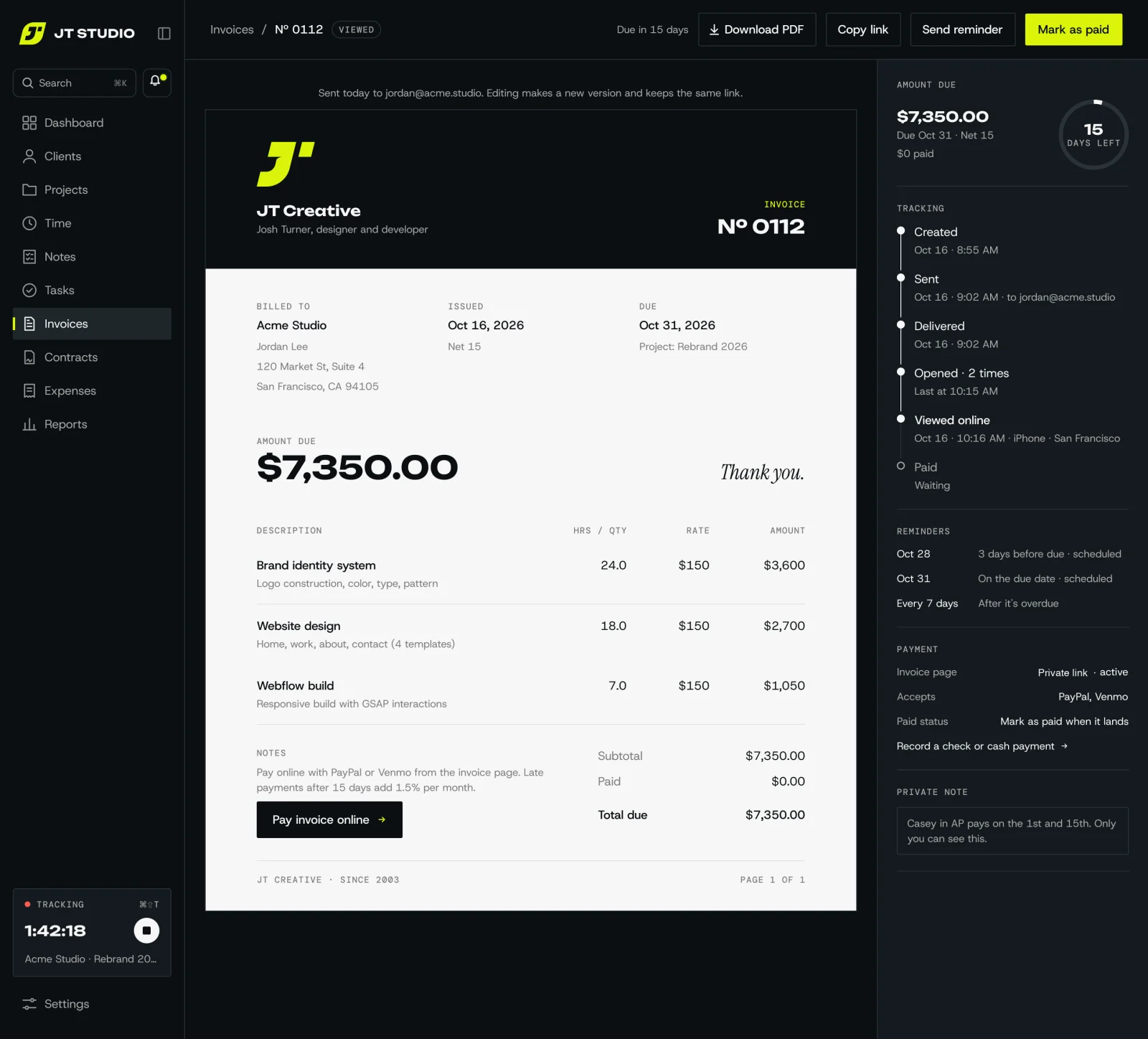
Sent and tracking. I can see when it was delivered, opened and viewed, reminders are already scheduled, and I mark it paid when the money lands.
App map
Every page in the sidebar, and what it does.
Dashboard
Today at a glance
Running timer and this week's hours
Unbilled, outstanding, overdue, paid
Revenue by month against my yearly goal
Activity: viewed, paid, signed
Clients
My mini CRM
Client list with balance owed and last activity
Profiles with contacts, addresses, notes and tags
Every project, invoice, payment and contract per client
Default rate, currency and payment terms
Projects
Work in progress
Projects by client, with status
Budget in hours or a fixed fee, against time tracked
Tasks with a simple status
Billable and non-billable time
Time
Every tracked hour
A week timesheet where any entry can be edited
Start and stop timer, or add time by hand
Bulk edit: move, mark billable, delete
Unbilled time, ready to invoice
Invoices
Getting paid
Grouped by status: draft, sent, viewed, overdue, paid
A document-style editor and templates
Tracking from sent to delivered, opened, viewed and paid
Recurring invoices, reminders and online payments
Contracts
Signed agreements
Templates with my terms
Sent for e-signature
Status: sent, viewed, signed
A signed proposal sets up the client and project for me
Expenses
Money out
Log expenses with a photo of the receipt
Categories and re-billing to clients
Add billable expenses to an invoice
Reports
How the business is doing
Income by month, client and project
Hours and my effective hourly rate
What's outstanding, and for how long
CSV export for my accountant
Settings
Set once
Business details, logo and brand
Payment methods and bank details
Invoice numbering, terms and email templates
Mac app, import from my old app, backups
Decisions that shaped it
Most of these started as a one-line question.
Web app, not App Store
I wanted it on my phone without paying for a developer account. It installs from Safari or Chrome like any app and updates itself.
Private app, public invoices
The app sits behind a login only I can get through. The pages clients see run separately, so they can open an invoice but never reach anything else.
My own domain for client links
Invoice links live on pay.jtcreative.design, because spam filters trust a real domain more than a shared one.
Updates from a separate address
Newsletters get marked as spam more often than invoices, so updates go out from their own address and never drag invoices down with them.
One email service, not two
The service already sending my invoices handles updates too. For a few emails a year to a small list, another account and another bill wasn't worth it.
The CRM is the mailing list
A “gets updates” switch on each contact adds them to the list, so there's no second list to keep up.
My history, same numbers
A one-time import from my old invoicing app kept invoice numbers, logos and paid dates, so reports match the bank and clients see no break.
Widgets on my phone and Mac
iPhone web apps can't add widgets on their own, so a small widget app shows my tasks and the running timer on the home screen. On the Mac, desktop widgets and a timer in the menu bar do the same, a click away from the app.
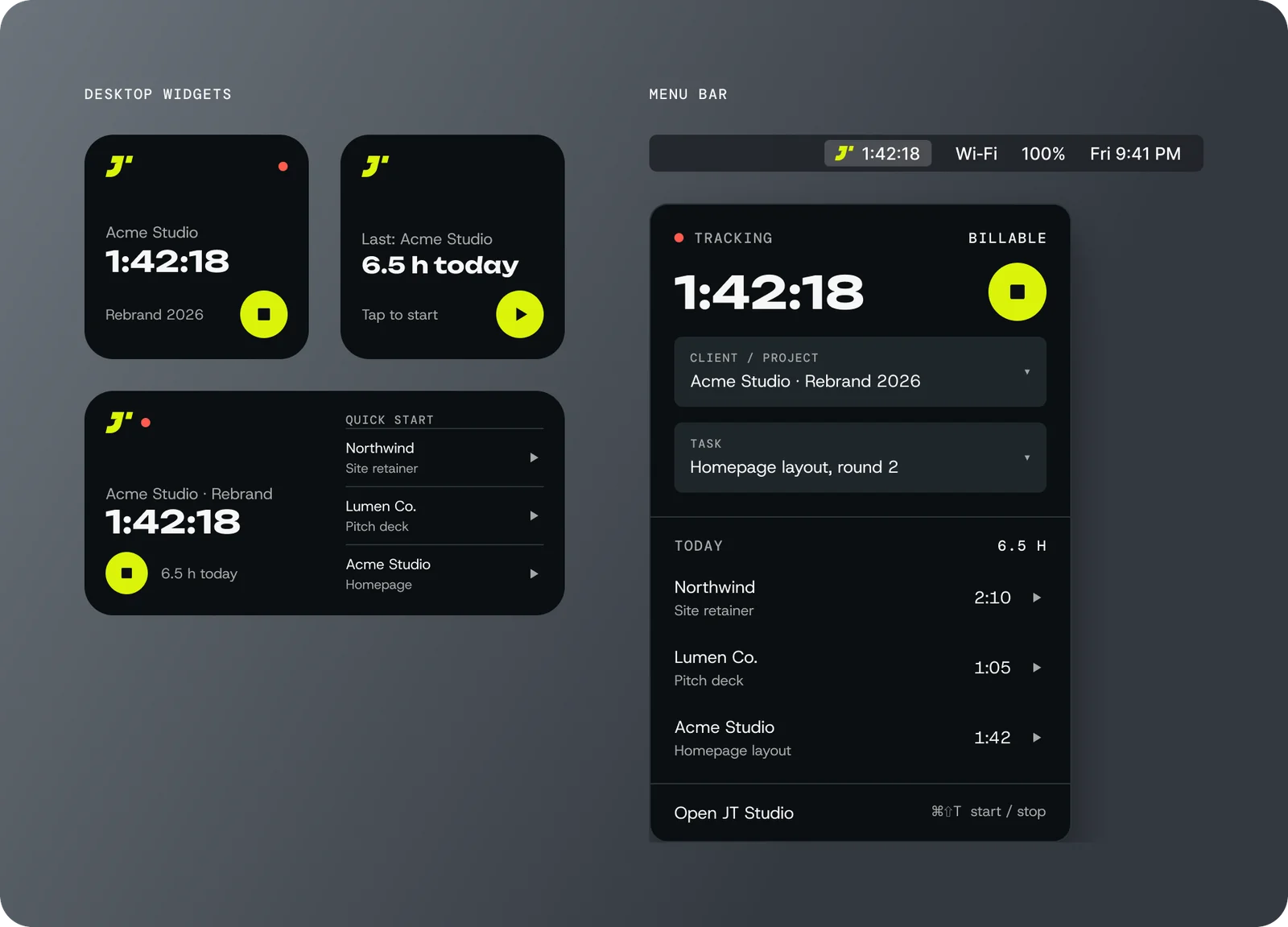
On the Mac: desktop widgets for the running timer and quick starts, plus a menu bar timer that opens a small panel with today's hours.
How it works
A private app only I can get into, a public side clients use, and a few outside services doing the heavy lifting.
Me
On my iPhone home screen and my Mac, plus the widgets.
Clients
Open invoices and updates on any phone or browser. No login needed.
→
I sign in
→
Clients open a link
The private app
Clients, projects, time, tasks, notes, invoices, expenses and reports. Only I can sign in. It flags overdue invoices and pings me.
The client side
Invoice pages, pay buttons and unsubscribe links at pay.jtcreative.design. It can show an invoice and tell the app what happened, nothing more.
One database
Every client, invoice, hour and task in one place, shared by both sides.
→
Alerts to my phone and Mac
→
Emails to client inboxes
→
Clients tap to pay
Push alerts
Apple and Google deliver alerts and the icon badge to my devices.
Invoices come from my own address, updates from a separate one.
PayPal · Venmo
Clients finish paying there. No card details are ever stored.
One-time import
Years of history pulled in once from my old invoicing app.
How it ships
One change at a time
Every fix or feature is its own small update.
Checked automatically
Tests and a build run before anything is merged.
Deploys itself
Once merged, both sides of the app update on their own.
Live on next open
My phone and Mac pick up the new version the next time I open it.
What's next
A client portal, so clients have one place for everything we're working on together.